Gratis custom REST API
ASPCode.net JSON Server databases
Section titled “ASPCode.net JSON Server databases”Skapa ett konto på ASPCode.net . Bara logga in via ert systementor.se konto (genom github)
Här skapar du New Database
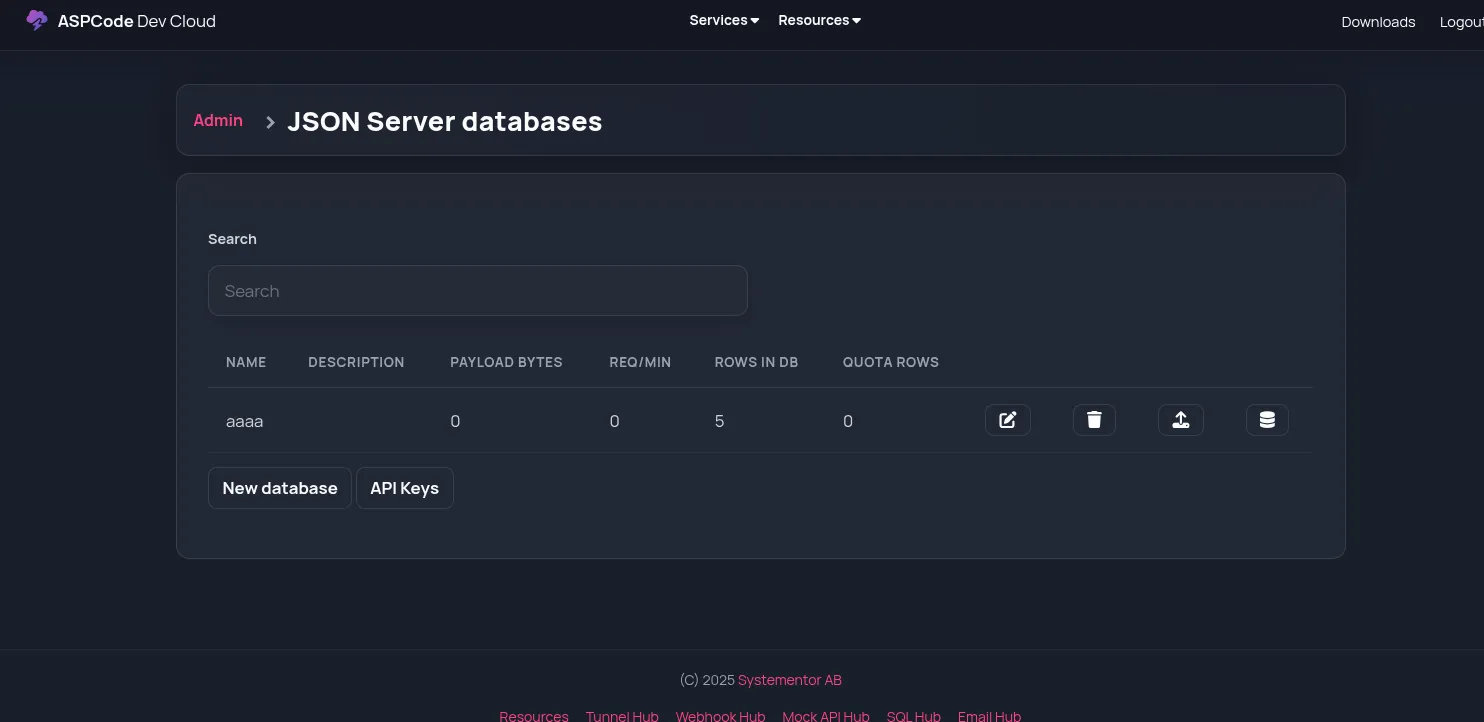
och sen kan du med Upload Data ikonen ladda upp en JSON fil som blir databasen
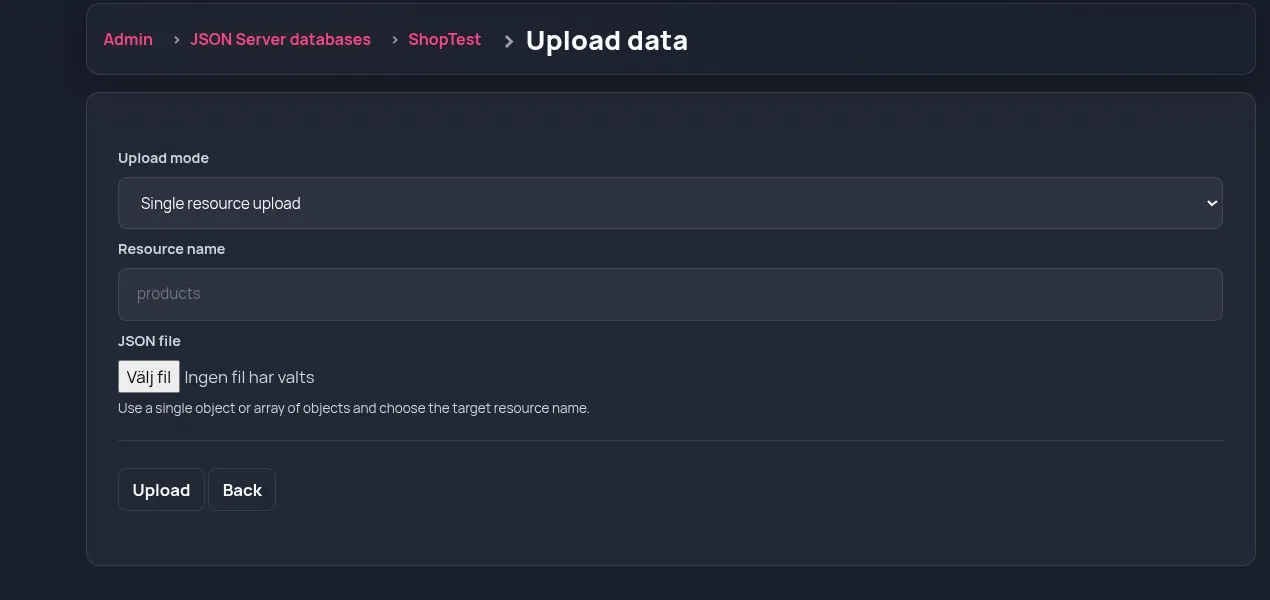
antingen en Single resource upload (ladda upp en fil med array [] med objects)
eller en s.k db.json multi-resource upload
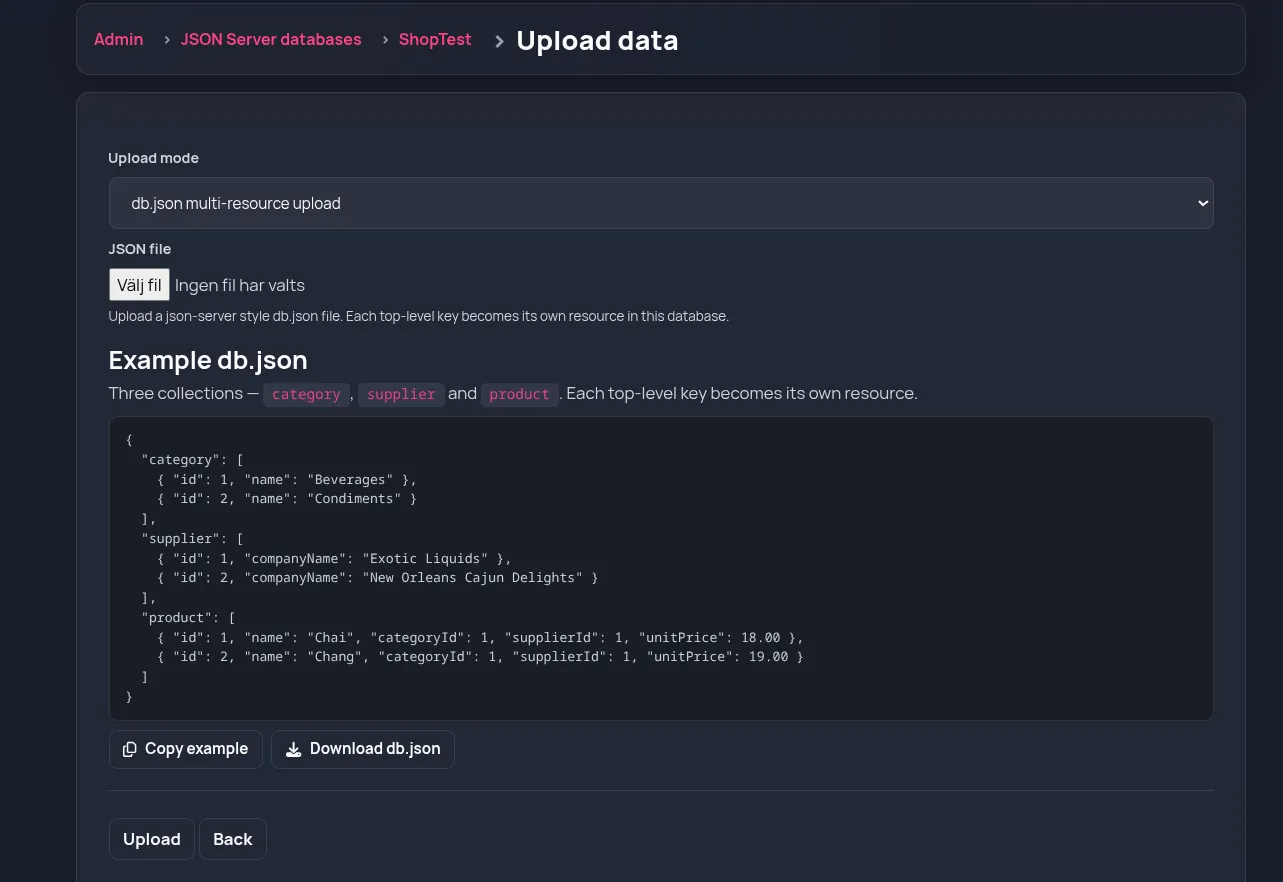
(den i bilden kommer få tre “tabeller”)
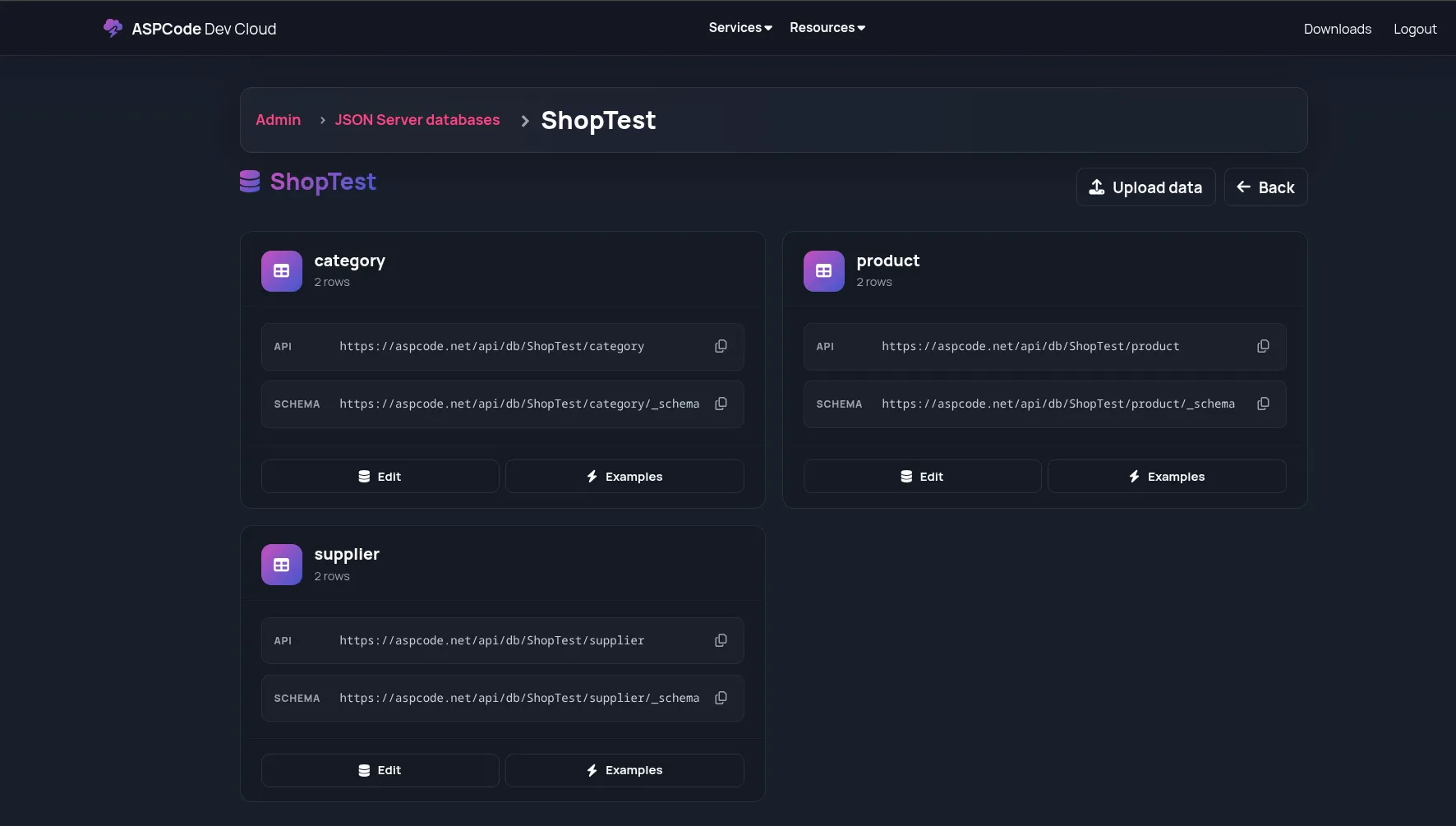
Att anropa
Section titled “Att anropa”Klicka på Examples för en “tabell” så ser du exempel på alla saker du kan göra
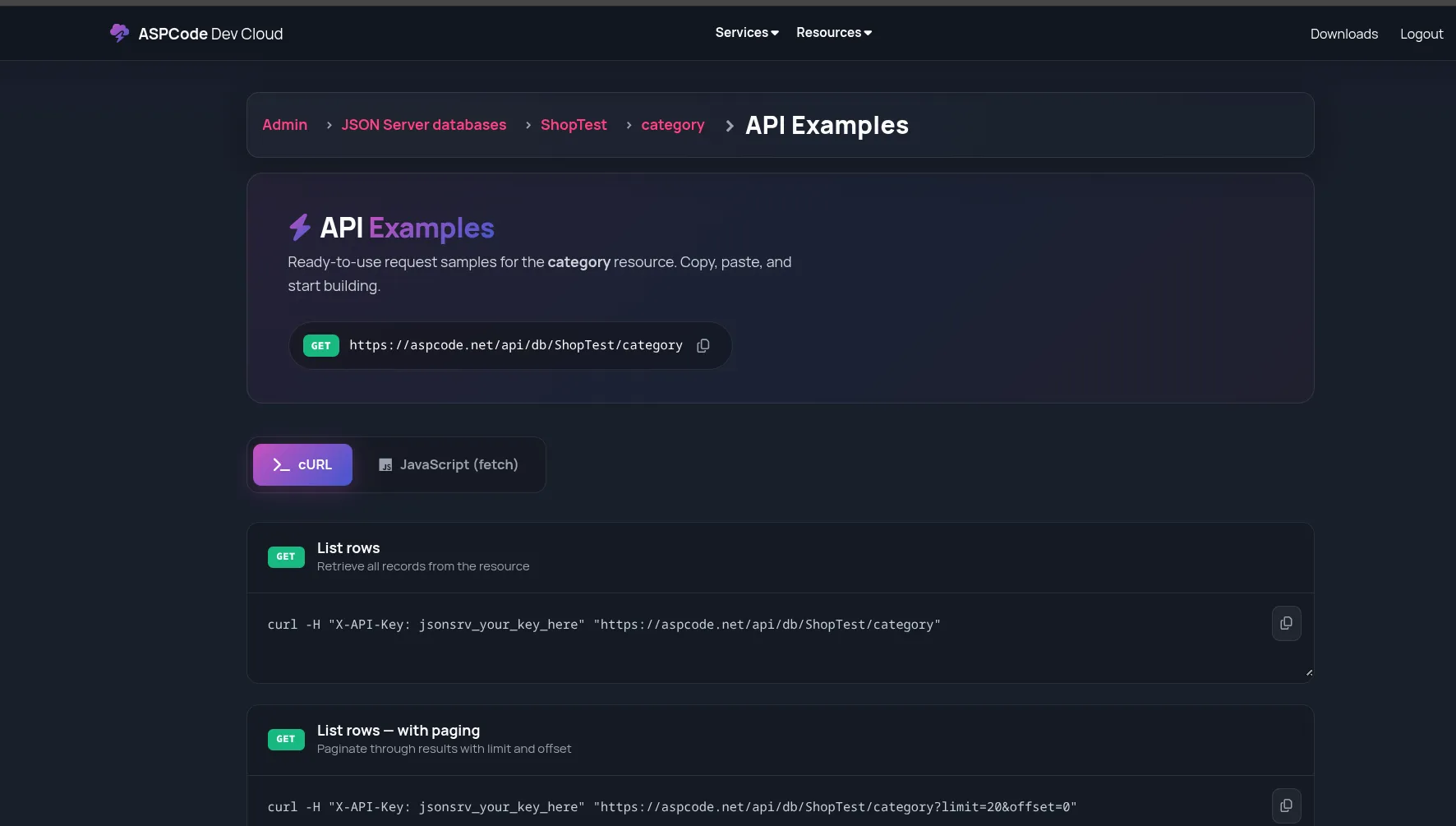
Klicka på Javascript (fetchh) om du vill se exemplen i Javascript
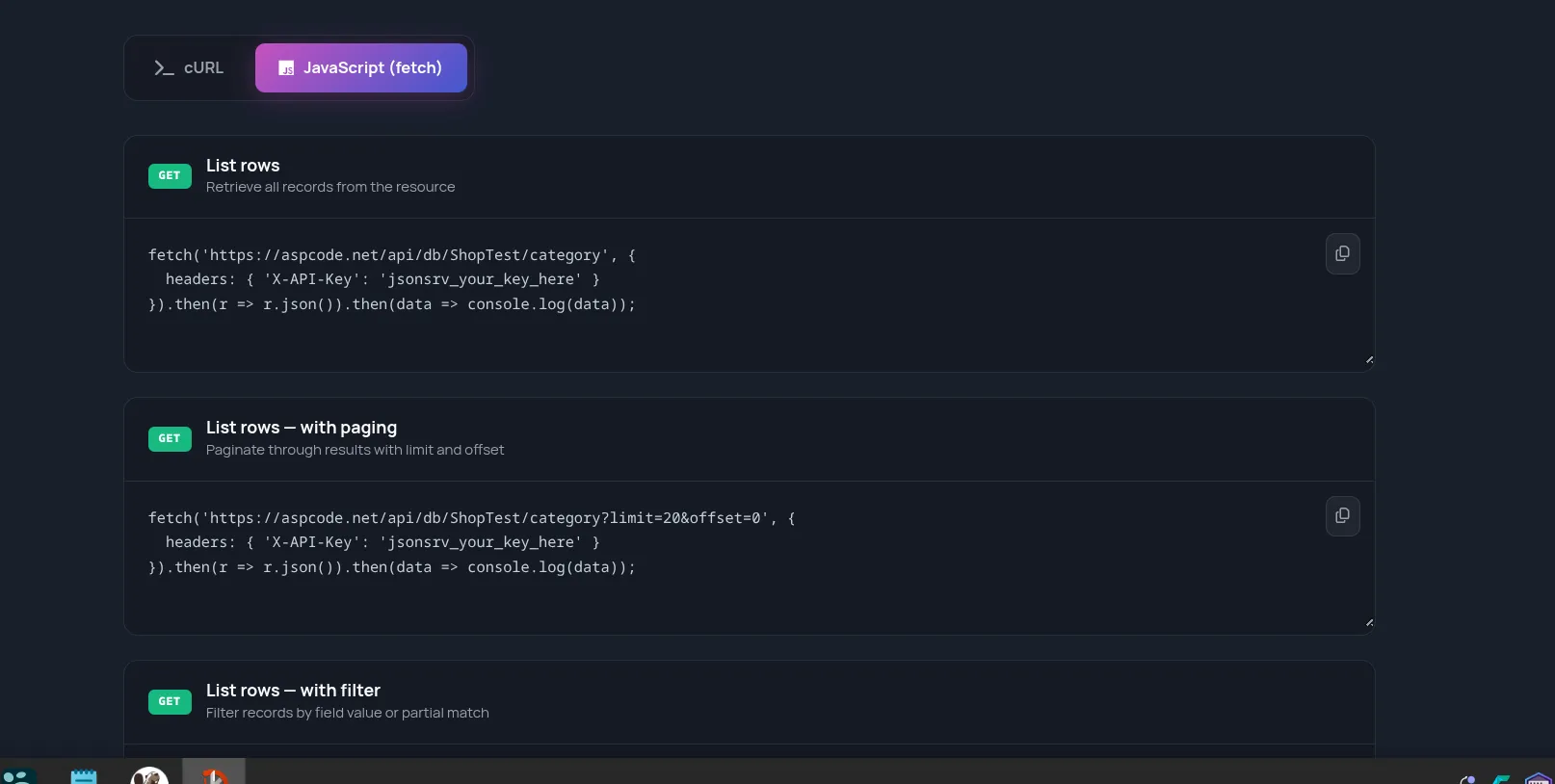
Så allt finns, paging, filter,.
Update/delete/Create också såklart
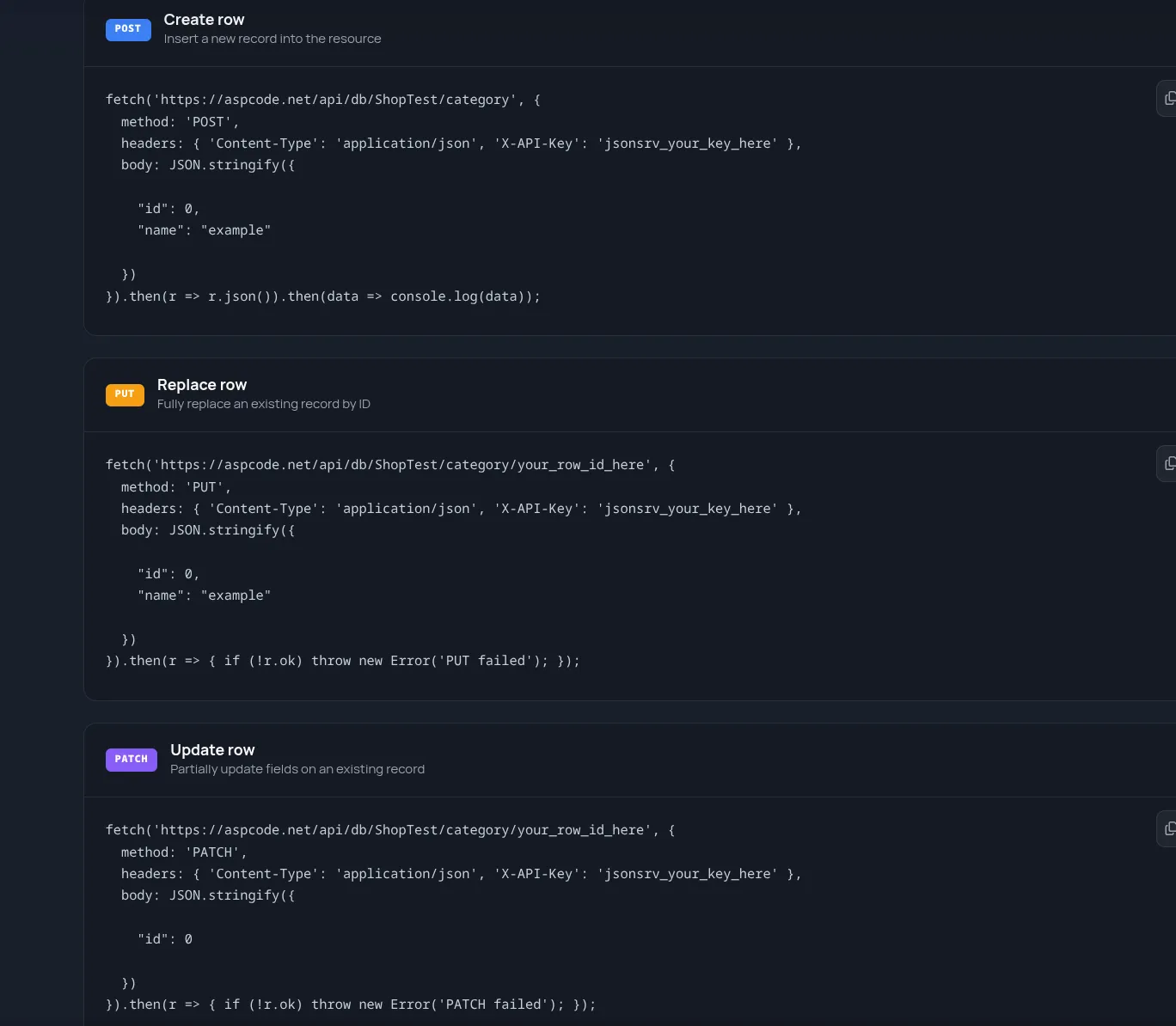
Och det blir persistant (lagras)
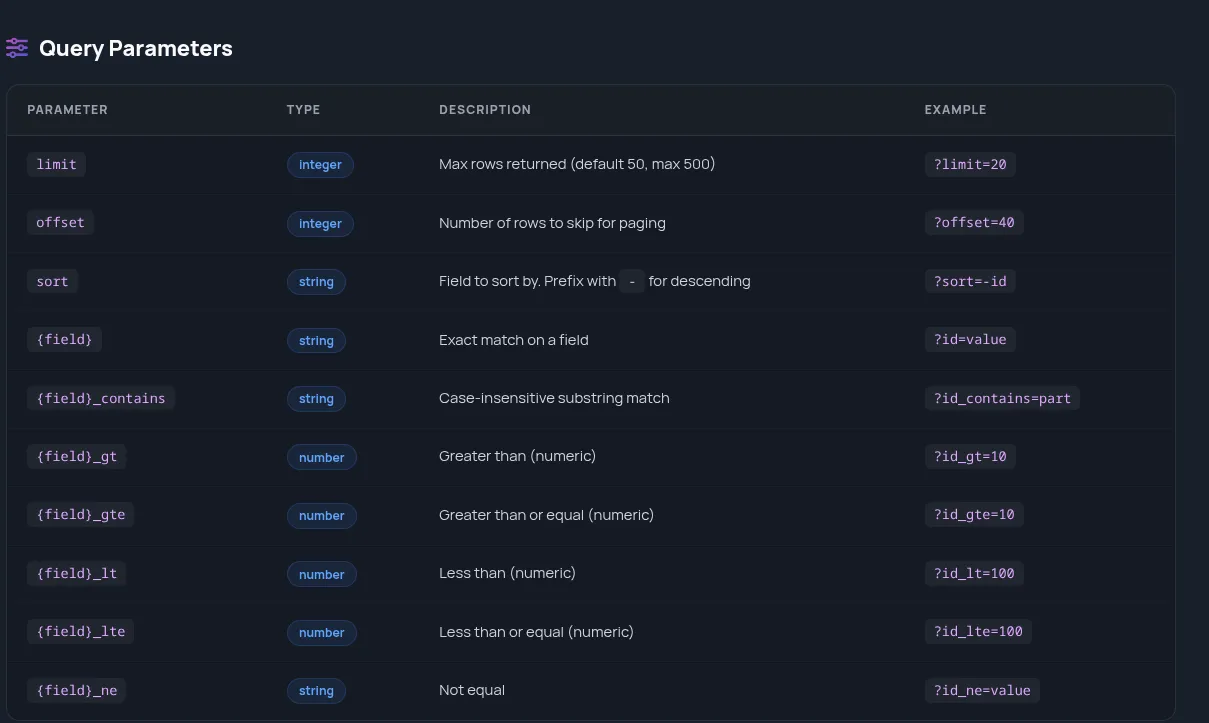
Query Parameters
Section titled “Query Parameters”API:t är fullständigt med limit etc så studenetrna kan lära sig allt kring API anrop
API Nyckel
Section titled “API Nyckel”Skapa en API nyckel (de får träna på det med alltså!) Och de måste träna på “flashes once” och hur hanterar vi den
Exampel ganska otestad AI-kod
Section titled “Exampel ganska otestad AI-kod”<!DOCTYPE html><html lang="en"><head><meta charset="UTF-8"><meta name="viewport" content="width=device-width, initial-scale=1.0"><title>Product CRUD</title><style> body { font-family: system-ui, sans-serif; max-width: 720px; margin: 2rem auto; padding: 0 1rem; } .field { margin-bottom: .75rem; } label { display: block; margin-bottom: .25rem; font-weight: 600; } input { width: 100%; padding: .5rem; font-size: 1rem; box-sizing: border-box; } button { padding: .5rem 1rem; font-size: 1rem; cursor: pointer; margin-right: .5rem; } table { width: 100%; border-collapse: collapse; margin-top: 1.5rem; } th, td { border: 1px solid #ddd; padding: .5rem; text-align: left; } th { background: #f0f4ff; } .actions button { padding: .25rem .6rem; font-size: .85rem; margin: 0 .25rem; } #msg { margin-top: 1rem; padding: .75rem; border-radius: 6px; } #msg.ok { background: #e7f7e7; } #msg.err { background: #fdecec; }</style></head><body> <h1>Product CRUD</h1>
<div class="field"> <label for="name">Name</label> <input type="text" id="name"> </div> <div class="field"> <label for="categoryId">Category ID</label> <input type="number" id="categoryId" value="0" min="0"> </div> <div class="field"> <label for="supplierId">Supplier ID</label> <input type="number" id="supplierId" value="0" min="0"> </div> <div class="field"> <label for="unitPrice">Unit Price</label> <input type="number" id="unitPrice" value="0" min="0" step="any"> </div>
<div id="actions"> <button onclick="createProduct()">Create</button> <button onclick="loadProducts()">Refresh</button> </div>
<div id="msg"></div>
<table> <thead> <tr><th>ID</th><th>Name</th><th>Category</th><th>Supplier</th><th>Price</th><th>Actions</th></tr> </thead> <tbody id="rows"></tbody> </table>
<script>const API = "https://aspcode.net/api/db/ShopTest/product";const KEY = "jsonsrv_d57a2e562476c2abd2ad8f0ddccb823c89b8d0f018eb805a3da94aa067991955";
const nameEl = document.getElementById("name");const categoryIdEl = document.getElementById("categoryId");const supplierIdEl = document.getElementById("supplierId");const unitPriceEl = document.getElementById("unitPrice");const rowsEl = document.getElementById("rows");const msgEl = document.getElementById("msg");
function showMsg(text, ok = true) { msgEl.textContent = text; msgEl.className = ok ? "ok" : "err";}
function productPayload() { return { categoryId: parseInt(categoryIdEl.value) || 0, id: 0, name: nameEl.value.trim(), supplierId: parseInt(supplierIdEl.value) || 0, unitPrice: parseFloat(unitPriceEl.value) || 0 };}
function rowId(item) { return item.id ?? item._id ?? item.row_id;}
async function loadProducts() { try { const res = await fetch(API, { headers: { "X-API-Key": KEY } }); const data = await res.json(); const items = Array.isArray(data) ? data : (data.rows || data.data || []); rowsEl.innerHTML = ""; if (!items.length) { rowsEl.innerHTML = "<tr><td colspan='6'>No products yet.</td></tr>"; return; } for (const item of items) { const id = rowId(item); const tr = document.createElement("tr"); tr.innerHTML = ` <td></td><td></td><td></td><td></td><td></td> <td class="actions"></td>`; const tds = tr.querySelectorAll("td"); tds[0].textContent = id; tds[1].textContent = item.name ?? ""; tds[2].textContent = item.categoryId ?? ""; tds[3].textContent = item.supplierId ?? ""; tds[4].textContent = item.unitPrice ?? ""; const del = document.createElement("button"); del.textContent = "Delete"; del.onclick = () => deleteProduct(id); const ed = document.createElement("button"); ed.textContent = "Edit"; ed.onclick = () => fillForm(item); tds[5].append(del, ed); rowsEl.appendChild(tr); } } catch (err) { showMsg("Load error: " + err.message, false); }}
function fillForm(item) { nameEl.value = item.name ?? ""; categoryIdEl.value = item.categoryId ?? 0; supplierIdEl.value = item.supplierId ?? 0; unitPriceEl.value = item.unitPrice ?? 0; const oldBtn = document.getElementById("save"); if (oldBtn) oldBtn.remove(); const btn = document.createElement("button"); btn.id = "save"; btn.textContent = `Save (id ${rowId(item)})`; btn.onclick = () => updateProduct(rowId(item)); document.getElementById("actions").appendChild(btn);}
async function createProduct() { try { const res = await fetch(API, { method: "POST", headers: { "Content-Type": "application/json", "X-API-Key": KEY }, body: JSON.stringify(productPayload()) }); if (!res.ok) throw new Error("POST failed: " + res.status); showMsg("Created."); loadProducts(); } catch (err) { showMsg("Create error: " + err.message, false); }}
async function updateProduct(id) { try { const res = await fetch(`${API}/${id}`, { method: "PUT", headers: { "Content-Type": "application/json", "X-API-Key": KEY }, body: JSON.stringify(productPayload()) }); if (!res.ok) throw new Error("PUT failed: " + res.status); showMsg("Updated."); loadProducts(); } catch (err) { showMsg("Update error: " + err.message, false); }}
async function deleteProduct(id) { if (!confirm("Delete product " + id + "?")) return; try { const res = await fetch(`${API}/${id}`, { method: "DELETE", headers: { "X-API-Key": KEY } }); if (!res.ok) throw new Error("DELETE failed: " + res.status); showMsg("Deleted."); loadProducts(); } catch (err) { showMsg("Delete error: " + err.message, false); }}
loadProducts();</script></body></html>